Hari Nallan & Mohita Jaiswal - July 2019 | Refreshed by Deepali Saini, - Feb 2026

How Media Players Evolved from Hardware to Software
Remember running DVD or CD media players at home to watch favorite movies? Media players were originally physical boxes connected to televisions or other output devices to play digital audio and video files. But as computers became household commodities, media players transitioned into software applications. Streaming media wasn’t reliable yet; afterall, internet speeds were low and downloading took time.
Fast-forward to the current landscape: crystal-clear video streams on any screen, at all times, through on-demand digital media player applications. Video content accounts for a vast majority of all internet traffic globally, and mobile video consumption grows annually by double digits. Streaming video has fundamentally redefined what media players deliver to users. The experience has evolved beyond simple playback. It’s now about personalization, accessibility, and seamless integration across devices.
Why Media Player UX Matters More Than Ever
Netflix surpassed 300 million subscribers globally, while platforms like Disney+, Prime Video, YouTube, and regional players compete intensely for viewer attention. The content library matters, but so does the player application experience. Even offline media players like VLC, QuickTime, Windows Media Player, and MX Player now stream video URLs in real-time and support standard media types, including MP4, AVI, and MKV, without codec headaches.
Streaming media providers must deliver exceptional viewing experiences alongside the content itself. The rapid decline of cable companies’ clunky set-top boxes and their poor user interfaces proves that good media player UX directly impacts retention and engagement.
"The best media players disappear. Users shouldn't think about the interface, they should think about the content. Everything else is friction." — Deekshit Sebastian | Design Studio Head at Think Design Collaborative
10 Principles for Designing Video Players That Don't Get in the Way
1. Focus on Playing Video
Once a user selects content, the user interface should recede as much as possible. Getting in the way or distracting from the actual content risks losing viewer attention. Essential functional elements—play/pause, volume control, timeline scrubbing—should be immediately accessible but visually minimal.
2. Give Users Precise Control Over Time Navigation
Seek bar timelines remain essential, but modern video players go further. Popular player application experiences allow users to skip seconds of viewing with gestures—one tap skips 10 seconds, two taps skip 20 seconds, and so forth.
Some high-value UX features include:
- Changing episodes or seasons without exiting the player
- Skipping introductions automatically or on demand
- Preview thumbnails when hovering over the timeline
- Chapter markers for long-form content
These functionalities should adapt based on content type. Live video requires different controls than episodic series or standalone films. For more on adapting interfaces to context, see our guide on cognitive load in UX design.
3. Let Users Choose Picture Quality Based on Context
Streaming media comes with constraints: data caps, connection quality, and device capabilities. When users can adjust screen resolutions based on their device and data package, the viewing experience improves dramatically.
Adaptive streaming should happen automatically, but giving users a manual override respects their agency. Studies show that every additional second of video buffering decreases viewer satisfaction by 16%.
4. Make Content Accessible and Comprehensible
Subtitles, captions, and audio options in multiple languages ensure content is accessible to diverse audiences. For users with hearing impairments, captions aren’t a nice-to-have—they’re essential. Here are some accessibility features that matter:
- Captions and subtitles for users with hearing impairments
- Audio descriptions that provide context for visually impaired users
- Keyboard navigation for users who can’t use a mouse
- Screen reader compatibility with proper ARIA attributes
- Transcripts for informational and educational media
5. Support Multitasking Without Breaking Flow
A time-starved digital audience—we’re talking about the new-age audience making up most of the active internet users right now—constantly explores multiple things simultaneously. When player application UX allows users to continue other digital engagements while watching media, retention increases. Perhaps, design for assisted viewing instead of focused viewing.
6. Help Users Decide What to Watch Faster
Choosing what to watch can be overwhelming. Preview thumbnails showing estimated watch time, credible content ratings, viewer age recommendations, and genre tags reduce decision paralysis.
AI-powered personalized recommendations drive 75% of viewer actions on major platforms and can now adapt based on time of day, device, viewing context, and even user mood. Beyond simple viewing history, modern streaming services personalize both content suggestions and interface elements in real-time.
7. Keep Users Inside the Player Application
Have you ever paused streaming media to search for actor details or interesting facts? Features like Amazon’s X-Ray overlay IMDb information and character names directly on the content, keeping users inside the app during “where do I know them from?” moments.
In-player context keeps engagement high. The more users need to leave the player application to satisfy curiosity, the higher the likelihood they abandon viewing entirely.
8. Design Post-Play Hooks
Interactive design should suggest relevant content as credits roll, encouraging “one more episode” behavior without forcing users to navigate away. Post-play hooks work because they capitalize on existing engagement. Smooth transitions between content keep users scrolling to discover the next movie or show.
Where do we see this often? Netflix popularized this pattern, but it works because it respects momentum. Users have already invested time. Make it easy to invest more.
9. Enable Social Sharing
People appreciate and review content they enjoyed. Sharing, liking, and adding to playlists should be intuitive within the player interface.
10. Prioritize Performance At All Times
In 2026, speed equals trust. Performance-aware design considers how fast elements respond, not just what they do. Here are some key performance benchmarks:
- Keep video load time as low as possible
- Keep volume control response under 50ms
- Playback starts within 1 second of user action
- Seamless transitions between quality levels
Studies show 53% of mobile users abandon content that takes over 3 seconds to load. Optimize CDNs, reduce latency, and prioritize performance as a core UX feature, not an engineering afterthought.
Designing Audio and Video Experiences That Work Across Contexts
Media players aren’t just for video anymore. Audio and video consumption happens across contexts:
- Commuting: Mobile-first, often with spotty connectivity
- Working: Background audio, picture-in-picture video
- Relaxing: Full-screen, high-quality playback
- Learning: Transcript access, playback speed control, chapter navigation
Design for context-switching. Users move between devices, networks, and attention levels as they continue to interact with your product or service. The best media player applications adapt seamlessly.
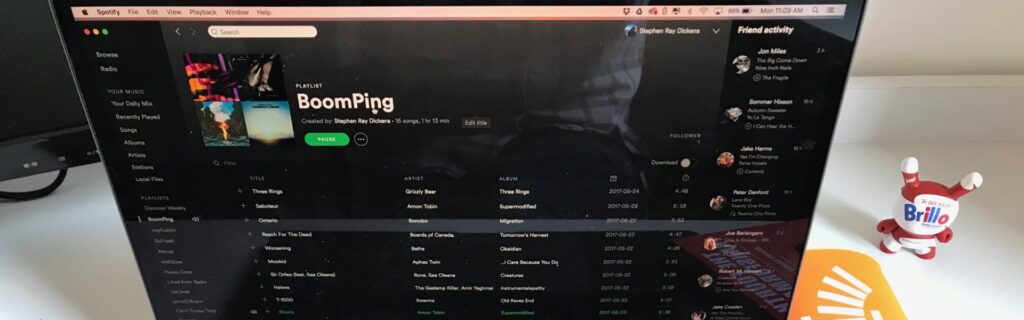
Hence, gesture-based navigation captures this perfectly. A prime example here is Spotify. It allows users to swipe, tap, or drag songs to reorder, queue, or adjust playback.
The Future of Media Player Design
The paradox of choice is overwhelming. With millions of hours of content available, the opportunity lies in distilling that ocean of multimedia content into what users actually want to watch, especially on any device.
A. AI-Powered Personalization Beyond Viewing History
AI transforms streaming UX by understanding user behavior holistically. Real-time context, personal preferences, etc. can inform recommendations. This allows services to dynamically personalize both content and interface, offering deeply tailored experiences that adapt as users change contexts.
B. Invisible UI
The best media player applications feel invisible. Controls appear when needed, disappear when irrelevant. Playing video becomes effortless; here, users think about content, not interface. This requires obsessive attention to detail. This may include predictive UI that anticipates user needs, adaptive layouts based on content type, and context-aware controls that adjust to viewing mode.
The evolution from physical DVD players to AI-powered streaming platforms reflects one constant: users want to consume content without friction. Whether it’s volume control, keyboard navigation, or playing audio and video across devices, every design decision should reduce barriers between users and the content they care about.